Most will clean without it. What they will not do without it is everything you paid the premium for — and two machines here are built to work with no app at all.
Everyone in this category says they tested twenty vacuums. We have not tested any, and we say so. What we do instead is read the manuals, compile the published specifications, and work out what each machine costs to run for three years — the method is written out in full.
We earn a commission if you buy through the links on this page, at no extra cost to you. It never changes what we recommend or the order we recommend it in. Full disclosure.
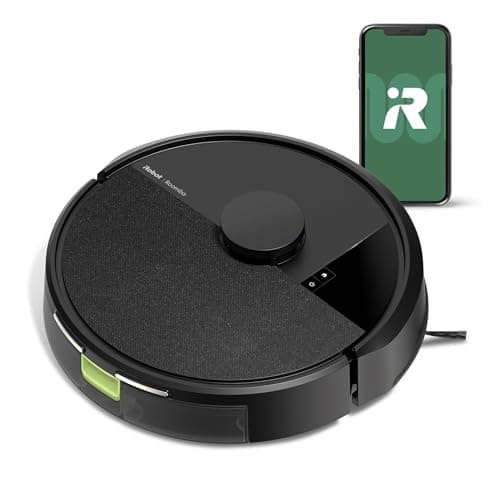
No robot vacuum needs Wi-Fi to clean a floor, but most need it to be worth buying — and some need it even to finish setup. If you want a robot that genuinely works with no app and no account, buy the [Tikom G8000 Max](#tikom-g8000-max), which publishes four control methods including a physical remote, or the [Lefant M210](#lefant-m210), which navigates without a map and therefore has nothing in an app you would miss. Do not buy a mapping robot for an app-free household: iRobot publishes that 2.4 GHz Wi-Fi is required for setup and operation on the Roomba 105, and on a mesh network broadcasting only 5 GHz it will not complete setup at all.
What Wi-Fi is actually doing on a robot vacuum
It is worth separating three different things that get bundled under "needs Wi-Fi", because they fail differently.
Setup. Several machines pair to your phone over Wi-Fi during first-run configuration. If that cannot complete, the robot may not start at all. This is the one that genuinely blocks you, and it is the one iRobot publishes about the Roomba 105.
Control. Starting, stopping, scheduling and picking a mode. Almost every robot keeps some of this on physical buttons, so the machine remains usable at the most basic level — press go, it cleans, it docks.
The map and everything built on it. Keep-out zones, virtual walls, room targeting, multi-floor maps, map editing. This is the part that lives entirely in the phone and has no on-device equivalent on any machine here.
So the honest framing is: a mapping robot without an app degrades into an expensive non-mapping robot. It will still clean. It will clean worse than a cheaper machine designed to work that way, because you paid for a laser and then removed the interface to it.
Which machines publish what
What each manufacturer publishes about Wi-Fi and control, read off its own listing.
Machine
Published Wi-Fi requirement
Control methods published
Usable with no app?
Tikom G8000 Max
Not stated as required
App, physical remote, voice, on-device buttons
Yes — a remote is in the box
Lefant M210
No Wi-Fi specification published
Not published beyond the machine itself
Largely — there is no map to miss
Roborock Q7 L5
2.4 GHz only
App, on-device controls
It cleans; you lose the maps and zones
iRobot Roomba 105 Vac
2.4 GHz required for setup and operation
Roomba Home app, on-device buttons, voice assistants
Not for setup — iRobot states it is required
ILIFE A30 Pro
Not stated on the listing
App; LiDAR SLAM mapping with no-go zones
It cleans; the zones need the app
Dreame D20 Plus
2.4 GHz only, and the listing states US use only
App, Alexa, Siri, Google Home
It cleans; the maps need the app
Every cell is that manufacturer's own published statement. Where a listing says nothing about Wi-Fi, this table says so rather than inferring that none is needed.
The 2.4 GHz trap, which catches more people than the app does
Four of the six machines above publish 2.4 GHz only — Roborock, Dreame, and iRobot by explicit requirement. This is the most common setup failure in the category and it has nothing to do with whether you want an app.
Modern mesh routers frequently present 2.4 GHz and 5 GHz as a single network name and steer devices onto 5 GHz automatically. A robot that only speaks 2.4 GHz cannot join, and the error it gives is usually unhelpful. The fix is to split the bands temporarily or create a 2.4 GHz guest network for setup. It is worth checking your router before buying, because this is the one constraint on this page that can stop a mapping robot from working on day one.
The machine for a household that will not use an app
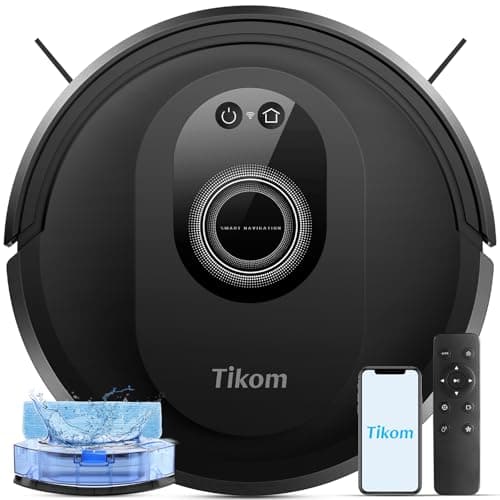
The Tikom G8000 Max is the clearest answer on this site, because it publishes a physical remote alongside app, voice and on-device control. That is four ways in, and the remote means someone can change mode and send it home from an armchair with no phone involved at all. It also publishes 45 dB, the quietest rating anywhere on this site, a 450 ml dustbin and a 300 ml water tank — both larger than the mapping Roborock Q7 L5's — and 150 minutes in quiet mode.
What it does not have is a map, and the trade-off should be stated plainly rather than glossed. Without a map it cannot be given no-go zones, cannot be sent to a named room, and covers a floor by zig-zag pattern rather than by plan. Tikom's own skip-if is exactly that. For a small hard-floor home, a light sleeper, or a household buying for an older relative, that trade is usually worth making. For a large multi-room house it is not, and the honest advice there is to find someone to set up the app.
The other app-free route: a robot with nothing to configure
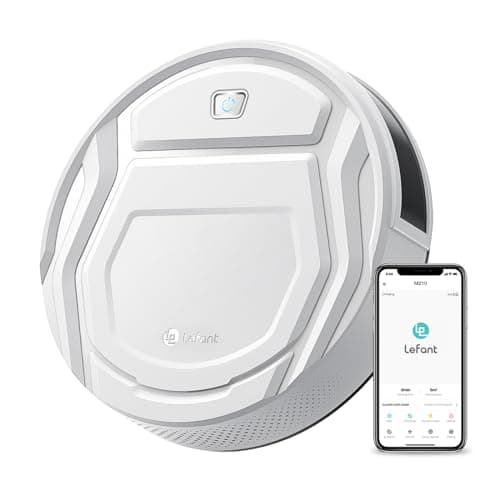
The Lefant M210 takes a different path to the same place. It publishes FreeMove 3.0 navigation with 6D infrared anti-collision and explicitly no LiDAR mapping, which means there is no map in the app and therefore almost nothing lost by ignoring one. It publishes 52 dB, 120 minutes in low suction, a 500 ml bin, 11 inches across, 2.99 inches tall, and a brushless suction port that cannot tangle hair.
The caveat is the same one that applies everywhere on this machine: no brushroll means no agitation, so carpet pickup is weak by design. It is a hard-floor robot and Lefant says so. Within that limit it is a genuinely good buy for an app-free house, and the 11-inch diameter gets between chair legs that a 13-inch robot cannot.
#
Product
Best for
Score
Price
01
Tikom G8000 Max Robot Vacuum and Mop45 dB rated with a 450 ml bin and a 300 ml tank, and no mapping at all — a quiet, cheap, semi-random cleaner.
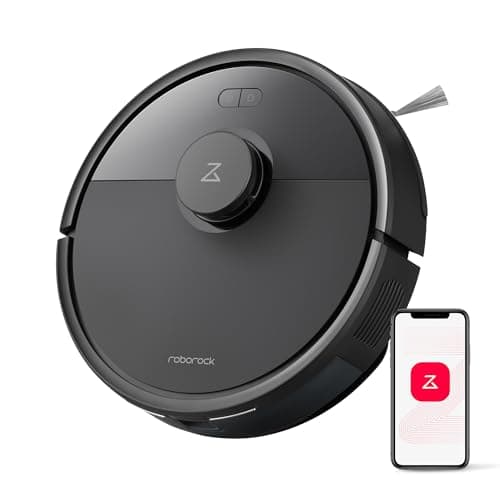
Roborock Q7 L5 Robot Vacuum and Mop8,000 Pa, 360-degree LiDAR and dual anti-tangle brushes — the most specified sheet at this price, with a 270 ml tank that is the catch.
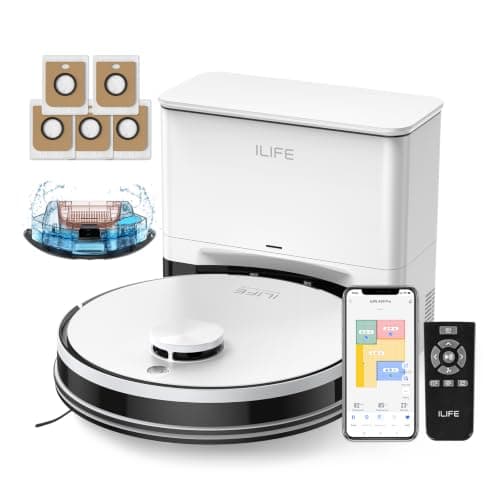
ILIFE A30 Pro Robot Vacuum and Mop10,000 Pa and a five-bag box that ILIFE rates at up to 280 days of hands-free running — the longest published interval on the site.
Anti-collision and anti-fall sensors; four modes — spot, edge, zig-zag, manual. No LiDAR mapping
Control
App, remote, voice, on-device buttons
Every figure above is the manufacturer's own published number. Where a manufacturer publishes nothing, the row says "Not published" rather than an estimate.
What the numbers say
+45 dB rated is the quietest figure published anywhere on this site
+450 ml bin plus a 300 ml tank, both larger than the mapped Roborock Q7 L5's
+Four control methods including a physical remote, which matters in households that will not use an app
Where it stops
−No mapping, so coverage is a zig-zag pattern rather than a plan
−5,000 Pa is the lowest published figure of the mopping robots here
−The 150-minute rating is the quiet-mode number
Who it is for
Small hard-floor homes, light sleepers, and households that want a remote rather than an app.
Skip it if
You need room targeting or no-go zones. Without a map it cannot be told where not to go, and the only fix is a closed door.
Our score: 6.9 out of 10
Published suction6.0
Navigation4.0
Runtime8.5
Bin and dock7.5
Running cost8.5
Scored against the published rubric on How We Pick. These are judgments about spec sheets, not measurements.
02 · Quietest robot here
Lefant M210 Robot Vacuum
52 dB and 2.99 inches tall, with a brushless suction port that sidesteps hair tangle by not having a brushroll at all.
Up to 120 minutes in low suction mode, manufacturer-stated
Height
2.99 inches
Diameter
11 inches
Dustbin
500 ml
Rated noise
52 dB
Suction port
Brushless — no roller brush
Navigation
FreeMove 3.0, 6D infrared anti-collision — no LiDAR mapping
Battery
Lithium iron phosphate
Suction in Pa
Not published
Every figure above is the manufacturer's own published number. Where a manufacturer publishes nothing, the row says "Not published" rather than an estimate.
What the numbers say
+Brushless port cannot tangle, because there is nothing to tangle on — the only true fix for long hair
+52 dB is the quietest published figure on this site
+11-inch diameter gets between chair legs a 13-inch robot cannot
+Lithium iron phosphate chemistry is more cycle-durable than standard lithium-ion
Where it stops
−No brushroll also means no agitation, so carpet pickup is weak by design
−The 120-minute figure is explicitly the low-suction number
−No LiDAR mapping
Who it is for
Hard-floor homes with long-haired occupants or pets, and anyone who has cut hair off a robot brushroll once too often.
Skip it if
You have carpet you actually want cleaned. Without a brushroll it lifts surface debris and leaves embedded grit; this is a hard-floor machine.
Our score: 6.6 out of 10
Published suction4.0
Navigation4.0
Runtime9.0
Bin and dock6.5
Running cost9.5
Scored against the published rubric on How We Pick. These are judgments about spec sheets, not measurements.
03 · Best published suction under $300
Roborock Q7 L5 Robot Vacuum and Mop
8,000 Pa, 360-degree LiDAR and dual anti-tangle brushes — the most specified sheet at this price, with a 270 ml tank that is the catch.
360-degree LiDAR with multi-floor maps and no-go zones
Brushes
Anti-tangle main brush plus zero-tangle side brush
Rated noise
60 dB
Wi-Fi
2.4 GHz only
Every figure above is the manufacturer's own published number. Where a manufacturer publishes nothing, the row says "Not published" rather than an estimate.
What the numbers say
+Publishes a suction figure, unlike most of the field
+Dual anti-tangle brushes — both main and side, which most brands only claim for one
+Multi-floor mapping stored on the robot, so it works in a two-story house
+Vacuums and mops in the same pass
Where it stops
−270 ml dustbin is barely half the Lefant M210's, so it fills fast in a pet home
−Pa figures are not comparable across brands and Roborock does not publish their method
−No self-empty dock in this configuration
Who it is for
Multi-floor homes that want proper mapping and are willing to empty a small bin.
Skip it if
You have shedding pets and no self-empty dock. A 270 ml bin in a dog house is a daily chore, and the Q7 M5+ exists specifically to fix that.
Our score: 7.8 out of 10
Published suction8.5
Navigation9.0
Runtime8.5
Bin and dock5.0
Running cost7.5
Scored against the published rubric on How We Pick. These are judgments about spec sheets, not measurements.
04 · Best mapping under $300
iRobot Roomba 105 Vac
LiDAR mapping, keep-out zones and a 200-minute rating from the brand that will still be supporting the app in five years.
70x more power-lifting suction, compared by the manufacturer against the Roomba 600 series
Control
Roomba Home app, on-device buttons, voice assistants
Wi-Fi
2.4 GHz required for setup and operation
Suction in Pa
Not published
Every figure above is the manufacturer's own published number. Where a manufacturer publishes nothing, the row says "Not published" rather than an estimate.
What the numbers say
+200 minutes rated, the longest published runtime of any robot on this site
+Real LiDAR mapping, keep-out zones and room targeting at a budget price
+Recharge-and-resume, so a large floor completes without you
+iRobot's app and parts supply are the most durable bet in the category
Where it stops
−The 70x suction claim is measured against iRobot's own decade-old 600 series, not against a competitor
−No self-empty dock in this configuration — you empty the on-board bin
−No published bin volume
Who it is for
Multi-room homes that want scheduled, mapped cleaning without a self-empty dock's price.
Skip it if
Nobody in the house will install an app. Half of what you are paying for is mapping, zones and scheduling, and none of that exists without the phone.
Our score: 8.0 out of 10
Published suction6.5
Navigation9.0
Runtime10.0
Bin and dock6.0
Running cost7.5
Scored against the published rubric on How We Pick. These are judgments about spec sheets, not measurements.
05 · Longest dock interval
ILIFE A30 Pro Robot Vacuum and Mop
10,000 Pa and a five-bag box that ILIFE rates at up to 280 days of hands-free running — the longest published interval on the site.
2.5 liters, five in the box, rated up to 280 days hands-free in total
Tank
2-in-1 integrated: 200 ml dustbin plus 200 ml water tank
Navigation
LDS LiDAR with SLAM mapping, no-go zones and virtual walls
Weight
10.4 lb
Rated noise
72 dB
Every figure above is the manufacturer's own published number. Where a manufacturer publishes nothing, the row says "Not published" rather than an estimate.
What the numbers say
+Five bags in the box is real money that the competition charges separately for
+Full LiDAR SLAM mapping with virtual walls at a budget price
+10,000 Pa published, matching the dearest robot here
Where it stops
−72 dB is the loudest robot figure on the site
−200 ml dustbin is the smallest here — the 2-in-1 tank splits capacity with the water
−The 150-minute rating is explicitly the gentle-suction number
Who it is for
Buyers optimizing for the longest possible gap between touching the thing.
Skip it if
You want to run it while you are home. At 72 dB it is a run-it-when-you-are-out machine.
Our score: 8.2 out of 10
Published suction9.0
Navigation8.5
Runtime8.0
Bin and dock8.5
Running cost7.0
Scored against the published rubric on How We Pick. These are judgments about spec sheets, not measurements.
What you lose by going offline on a mapping robot
If you already own a mapping robot and are considering taking it off the network, this is the honest accounting of what goes:
No-go zones and virtual walls — gone entirely. The only substitute is a closed door or physically moving what you wanted it to avoid.
Room targeting — gone. The robot cleans whatever it finds rather than the kitchen you asked for.
Scheduling — gone on most machines. You press start when you want it to run.
Multi-floor maps — gone, which matters on the Roborock Q7 L5 and Dreame D20 Plus where maps are stored per floor.
Map editing and cleaning history — gone.
What survives: it still cleans in rows using its own on-board LiDAR, it still avoids cliffs, and it still returns to its dock. The laser works offline; the interface to it does not.
Which to buy
Nobody in the house will install an app — the Tikom G8000 Max, for the physical remote, or the Lefant M210 if hard floors and long hair are the brief.
You want mapping and you have 2.4 GHz available — the Roborock Q7 L5. Check your router can present a 2.4 GHz network before you order.
Buying for an older relative — the Tikom, unless someone else will manage setup and the app on their behalf. A mapping robot nobody configures is a worse machine than a cheaper one designed to run without a phone.
A floor plan in a manufacturer's cloud bothers you — a non-mapping robot. There is no map to upload.
Do not buy a Roomba 105 for a Wi-Fi-free household. iRobot publishes that 2.4 GHz is required for setup and operation, and most of the machine's value is in the app regardless.
What we cannot tell you
We have not used these machines and we have not tested any of them offline. Everything above is read from what each manufacturer publishes, and the gaps are real: no brand on this site publishes what happens to a robot's stored map if the service is discontinued, how long cloud data is retained, or whether a machine keeps working after a brand ends app support. Those are the questions that matter most in year five and nobody answers them in writing. Our method page is explicit about where our evidence stops.
Common questions
Do robot vacuums need Wi-Fi to work?+−
Not to clean a floor — almost all of them have on-device buttons that start a cycle. But several need it to finish setup, and iRobot publishes that 2.4 GHz Wi-Fi is required for setup and operation on the Roomba 105. More importantly, on a mapping robot the no-go zones, room targeting, scheduling and map editing all live in the app, so running one offline turns it into an expensive non-mapping robot.
Can you use a robot vacuum without an app?+−
Yes, if you buy one designed for it. The Tikom G8000 Max publishes four control methods including a physical remote, so it can be run entirely from the handset with no phone involved. The Lefant M210 publishes no LiDAR mapping at all, so there is nothing in an app to miss. On a mapping robot you can press the on-device button and it will clean, but you lose the zones, the room targeting and the schedules.
Why does my robot vacuum only connect to 2.4 GHz?+−
Because that is what most of them publish — the Roborock Q7 L5, the Dreame D20 Plus and the iRobot Roomba 105 all state 2.4 GHz only. Mesh routers often present both bands under one network name and steer devices to 5 GHz, which the robot cannot join. The fix is to split the bands temporarily or set up a 2.4 GHz guest network for pairing. It is worth checking your router before buying a mapping robot.
Which robot vacuum works without Wi-Fi?+−
The Tikom G8000 Max is the clearest choice on this site: it publishes app, physical remote, voice and on-device control, so the remote covers everything without a network. It also publishes 45 dB, the quietest rating here, with a 450 ml bin and a 300 ml tank. The Lefant M210 is the other route — no LiDAR mapping means nothing is lost by skipping the app, though its brushless port means weak carpet pickup by design.
Does a robot vacuum send a map of my house to the manufacturer?+−
A mapping robot builds a floor plan and stores it in the manufacturer's cloud so the app can display it. No manufacturer on this site publishes a retention period, a data-residency statement or a deletion guarantee on its retail listing, so the published record is simply silent on what happens to it. If that is a concern, a non-mapping robot such as the Tikom G8000 Max or the Lefant M210 has no map to send.
What happens to a robot vacuum if the app is shut down?+−
No manufacturer on this site publishes an answer, which is itself the most useful thing to know. On a mapping robot the app holds the zones, schedules and maps, so losing it would remove most of the machine's value even if the robot kept cleaning. This is the strongest practical argument for buying from a brand likely to still be supporting its software in several years, which on this site means iRobot or Roborock before the smaller names.
Sources
Manufacturer-published specifications — Every runtime, wattage, capacity, weight, filtration and warranty figure quoted on this page is the manufacturer's own published number for that model, retrieved September 1, 2026. Where a manufacturer publishes no figure, the page says 'Not published' rather than estimating one.
Sweep & Suction — How We Pick — Our published method, including the scoring rubric, the three-year running-cost formula and an explicit statement of what published specifications cannot tell you.